
Invoice Approvals
Approve your building's invoices with one button. You can now review and approve your strata’s invoices right here in the PropertyIQ Portal.

Stay Updated
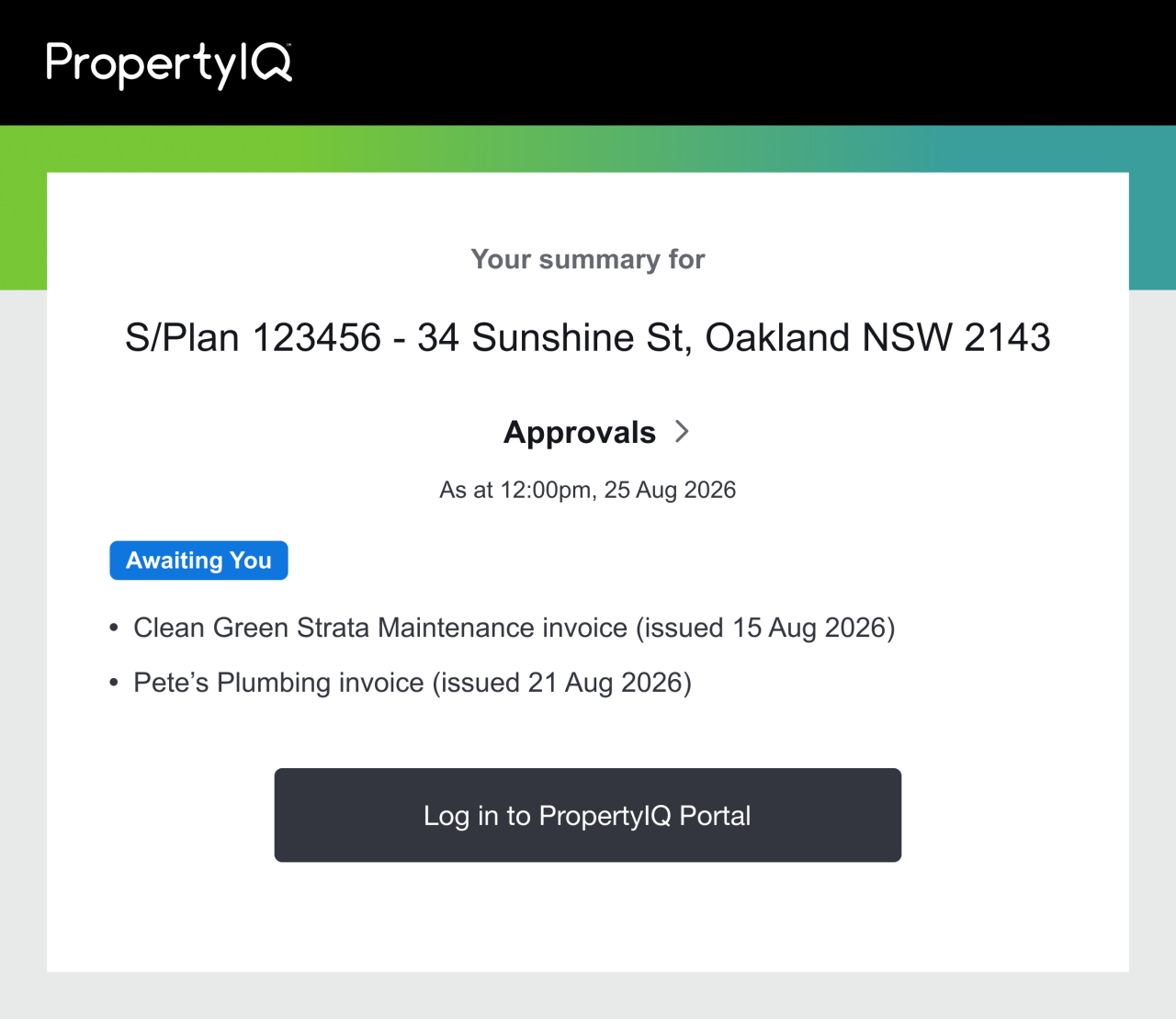
Whenever your strata manager sends an invoice that needs approval, we'll let you know in your regular update emails.
If you want to change how often you receive these emails, you can easily adjust them in your Notification Settings.
Invoices Awaiting You
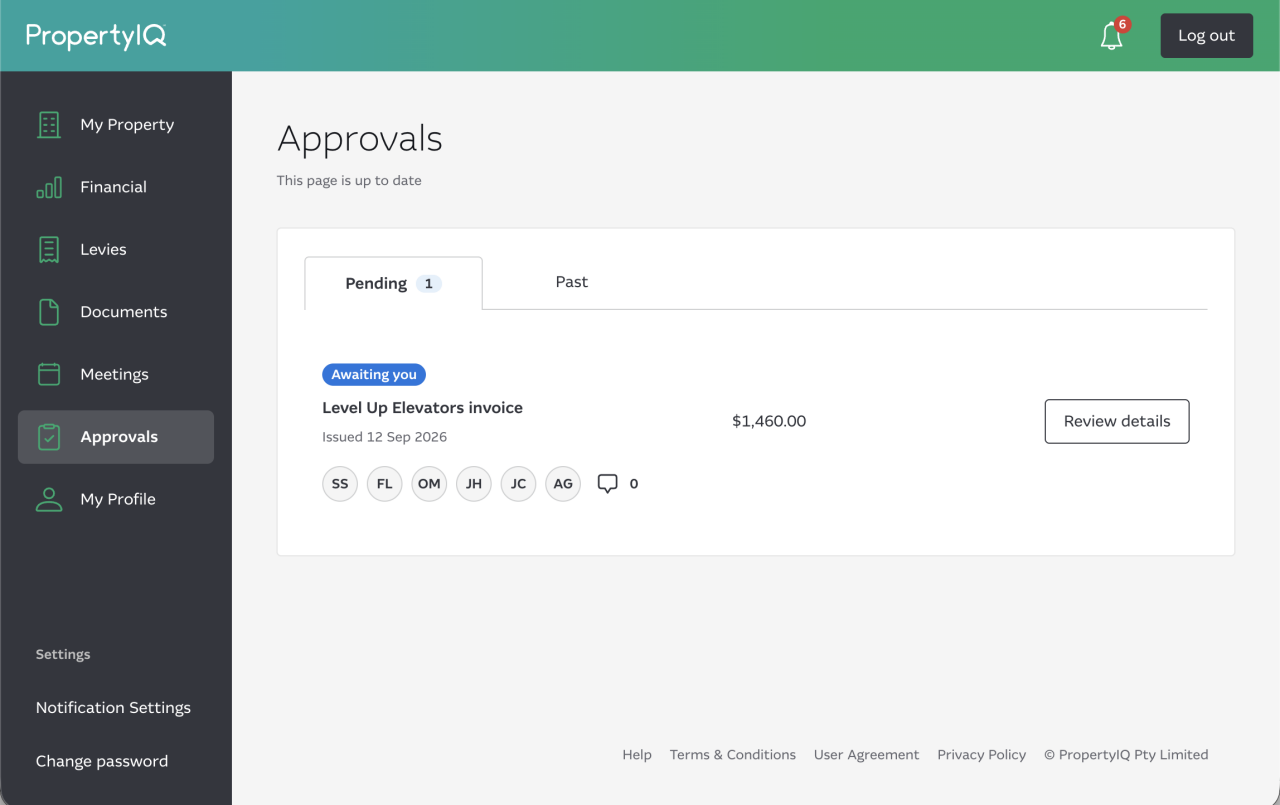
Open the Approvals page to see your invoices. Anything marked "Awaiting you" is waiting for your approval.
Review the Invoice
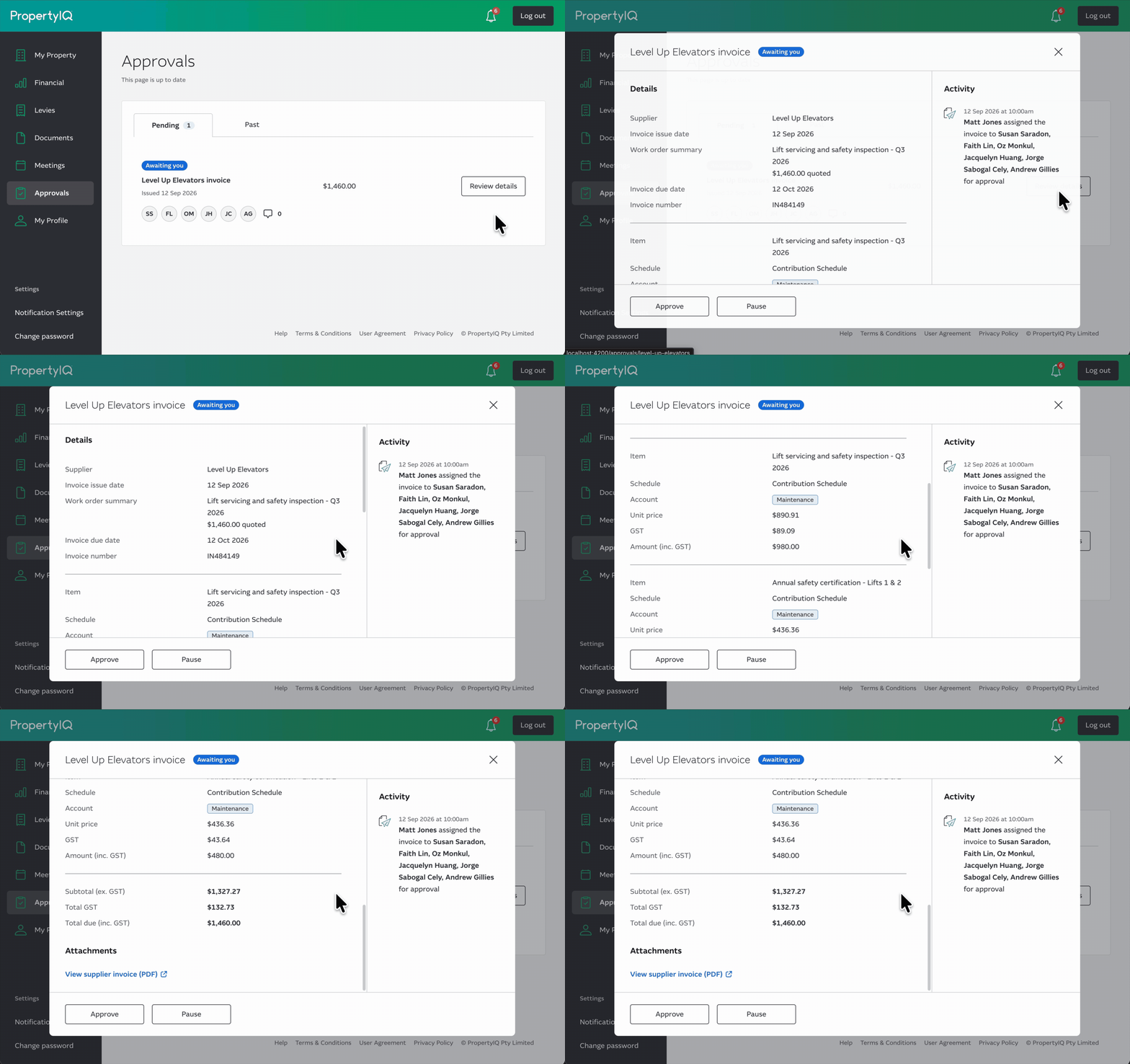
Select an invoice to see its details - the supplier, dates, amounts and line items. To see the actual bill, use Preview, to open the invoice.
Approve It
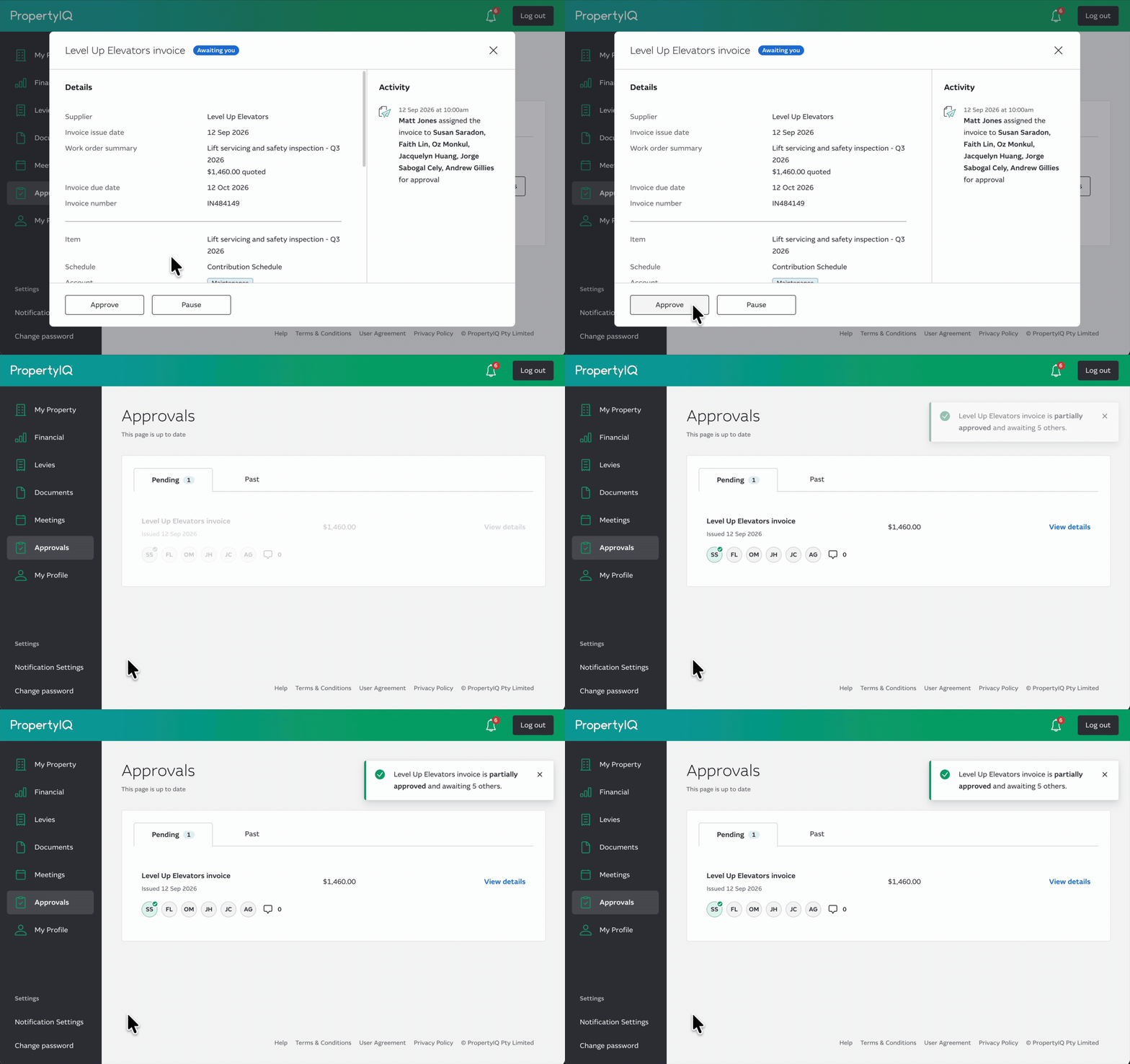
When you're happy, select Approve. The invoice is approved once more than half of the assigned approvers have signed off on it - so not everyone needs to approve.
Once it's approved, it moves to the Past tab ready for payment.
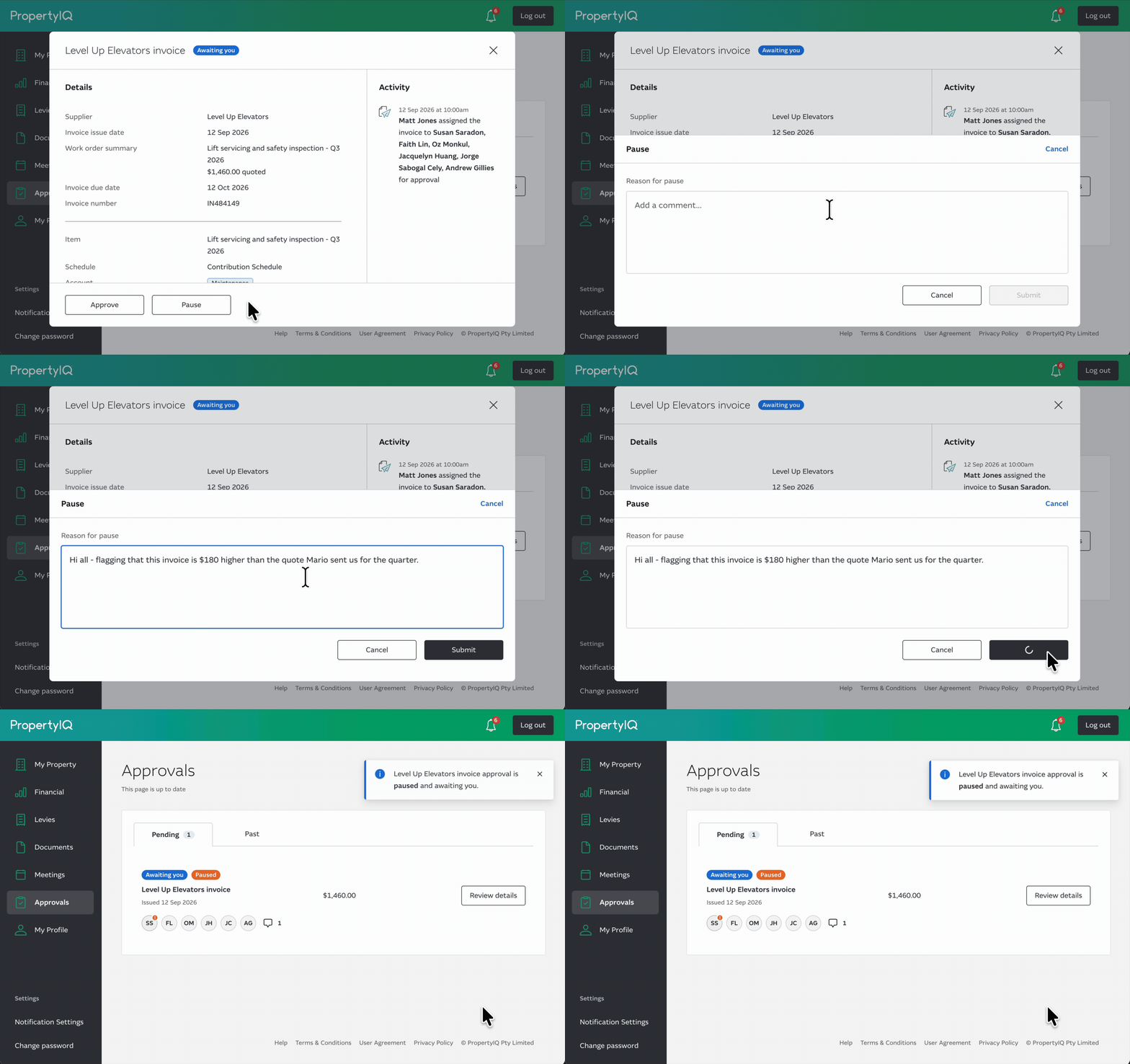
Pause It
If something doesn't look right, select Pause and leave a quick comment explaining why.
Other committee members and strata managers can reply to the comment to address concerns before the invoice moves forward.
When you're ready, approving lifts the pause.